
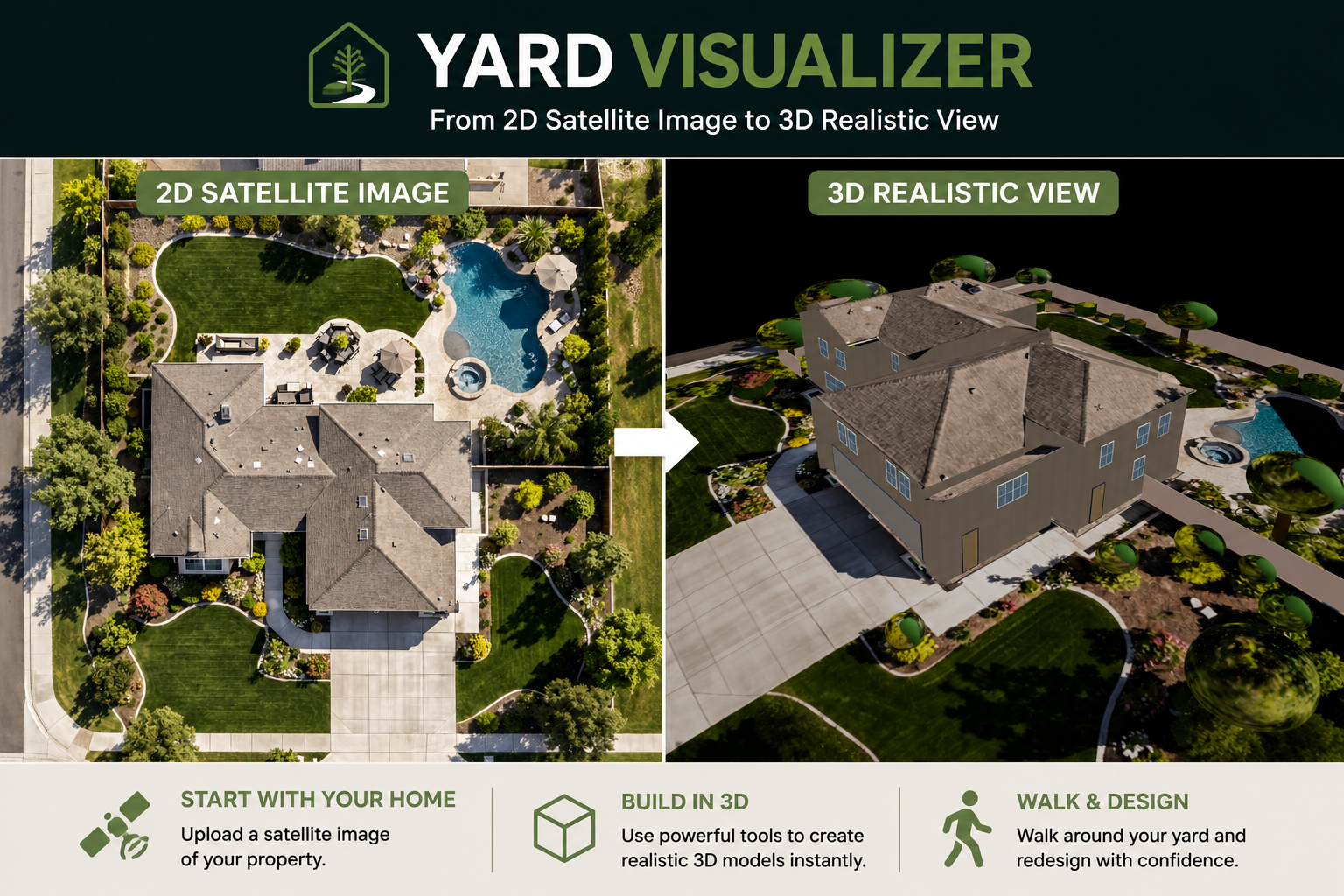
When we first launched Yard Visualizer, our goal was simple: make it easy for homeowners to measure and plan their yards using a satellite image of their own property. Thousands of measurements later, we’ve taken the next step.
Today we’re introducing powerful new visualization features that let you experience your property in ways that weren’t possible before.
Try it here: Yard Visualizer
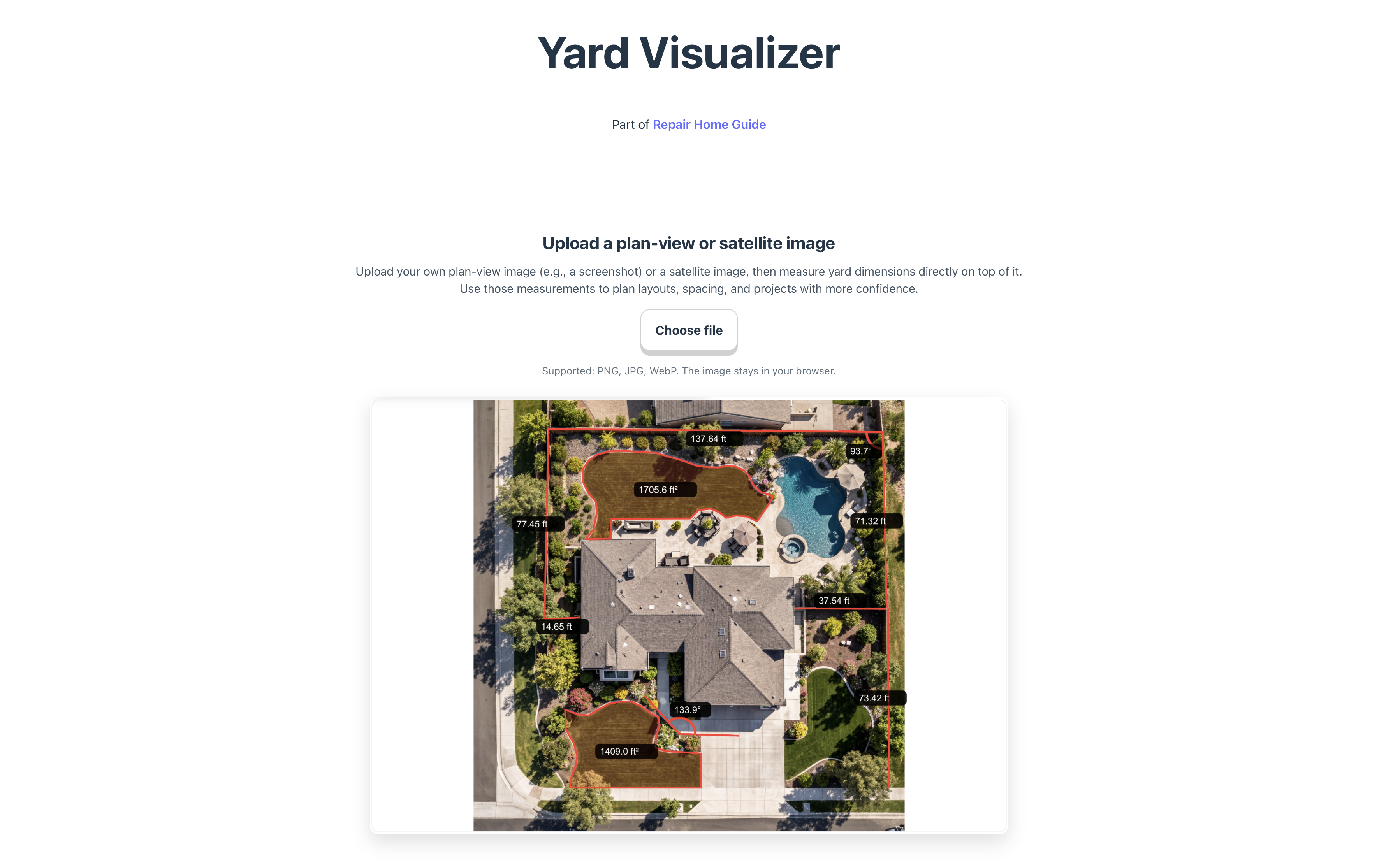
Start with a Satellite Image of Your Own Home
Every project begins with your actual property.
Simply upload a satellite image or aerial view of your home. The image becomes the foundation for your project, allowing you to plan using the real shape and dimensions of your yard rather than a generic template.
Whether you’re planning a new patio, garden, fence, retaining wall, playground, or outdoor kitchen, designing on your own property makes planning much more realistic.

Instantly Generate a 3D View
One of the biggest additions to Yard Visualizer is the ability to generate a 3D view of your property.
Instead of looking only from above, you can now see your home and yard from an angled perspective. This gives you a much better understanding of how different areas relate to one another. There are plenty of tool boxes to allow you to set your home elevation compare to the road around the home, converting objects into 3D views, like trees/ fence, roof etc.


Once the objects are created, you can view them in 3D view immediately. In the end, you will get a nice 3D view of your own home that allows you to view from all the angles.

A 3D view helps you:
- Better understand the overall layout of your property
- Visualize elevation and outdoor spaces more naturally
- See how different design ideas fit together
- Explore your yard from multiple viewing angles
Planning landscaping becomes much easier when you can see the entire property in three dimensions instead of interpreting everything from a flat aerial image.
Walk Around Your Yard with Person View
Perhaps the most exciting new feature is Person View.
Instead of viewing your yard from above, you can switch to a ground-level perspective and virtually walk around your property.

This makes it feel much closer to standing in your own backyard.
As you move through the scene, you can better evaluate how different spaces connect and how design changes may look from everyday viewpoints.
This perspective is especially useful when planning:
- Garden beds
- Walkways
- Patios
- Trees and shrubs
- Seating areas
- Outdoor living spaces
- Fences and privacy screens
Rather than guessing how a project might look, you can experience it from the perspective you’ll actually have once it’s built.
Redesign Individual Areas
Not every landscaping project requires redesigning the entire yard.
With the new workflow, you can focus on specific sections of your property.
For example, you can redesign:
- The front yard while leaving the backyard unchanged
- A side yard that needs better functionality
- A new patio area
- An unused corner of the yard
- Around a swimming pool
- A garden or planting area
This makes it easy to experiment with multiple ideas before deciding which direction you prefer.
A Better Way to Plan Before You Build
Landscape projects can become expensive quickly. Even relatively small projects often involve materials, labor, irrigation, lighting, and plants.
Being able to visualize ideas before construction begins helps homeowners make more confident decisions and reduce costly changes later.
Whether you’re creating a simple planting bed or planning a complete backyard transformation, Yard Visualizer lets you explore ideas using your own property as the canvas.
Try the New Features
The latest version of Yard Visualizer now combines measurement tools with immersive visualization.
You can:
- Upload a satellite image of your home
- Generate a realistic 3D representation of your property
- Switch into Person View and walk around the yard
- Redesign individual outdoor spaces before starting your project
We’re continuing to improve the platform and have many additional features planned for future releases.
Try the latest version today at:
More features are under built. Keep tuned!


Leave a Reply